Guide
Find. Prepare.Go.
The outdoor GPS that helps you find, prepare and follow your trips.
01Find
Find your next adventure.
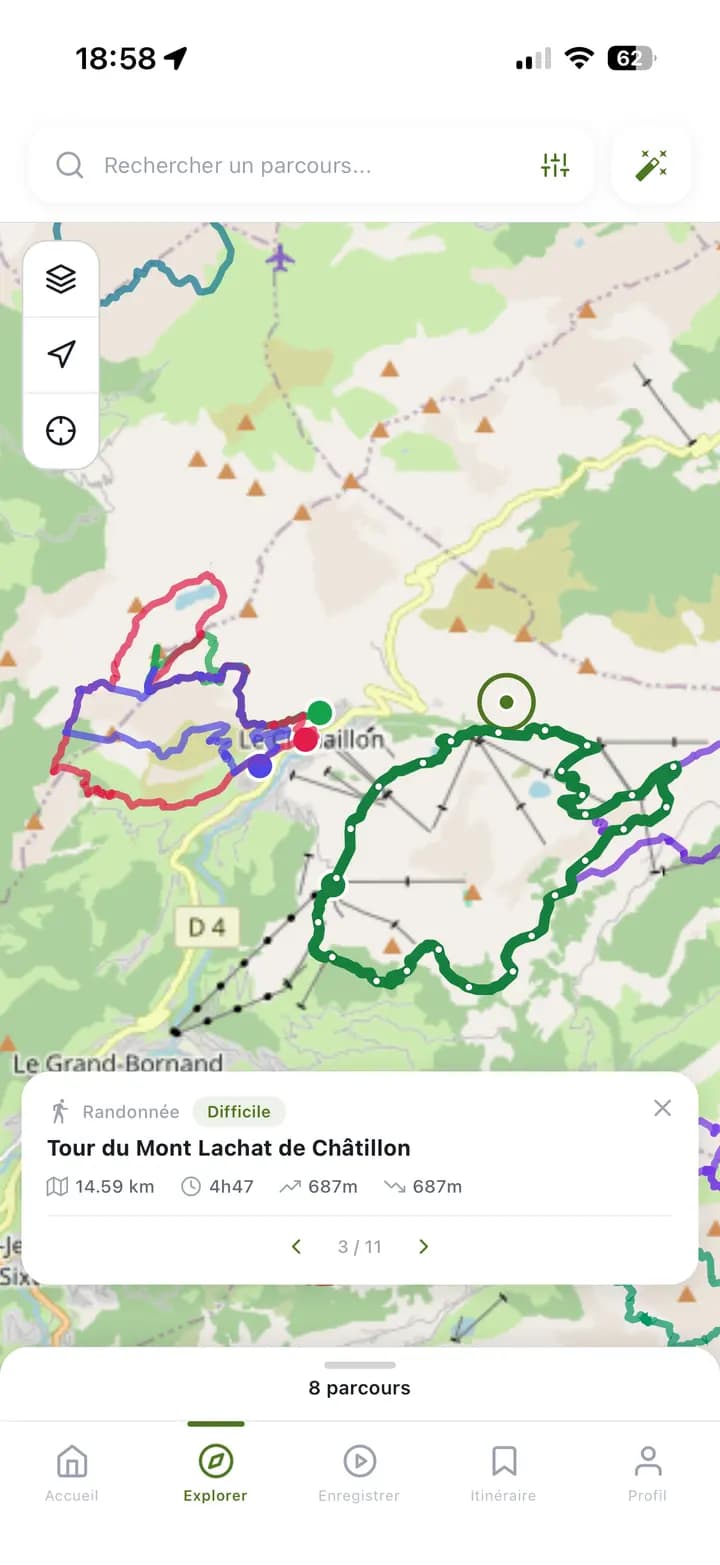
Search around you or anywhere else: the map shows the routes in the area, and a summary pops up as soon as you tap one.
For all your trips
- Hiking
- Trail running
- Mountain biking
- Road cycling
- Ski touring
- Snowshoeing
- Filter by activity, difficulty, distance and elevation
- Map view or list view
- Routes featured by our partners
02Create
Draw your route, right on the map.
Drop your points and let Compath build the route along the trails.
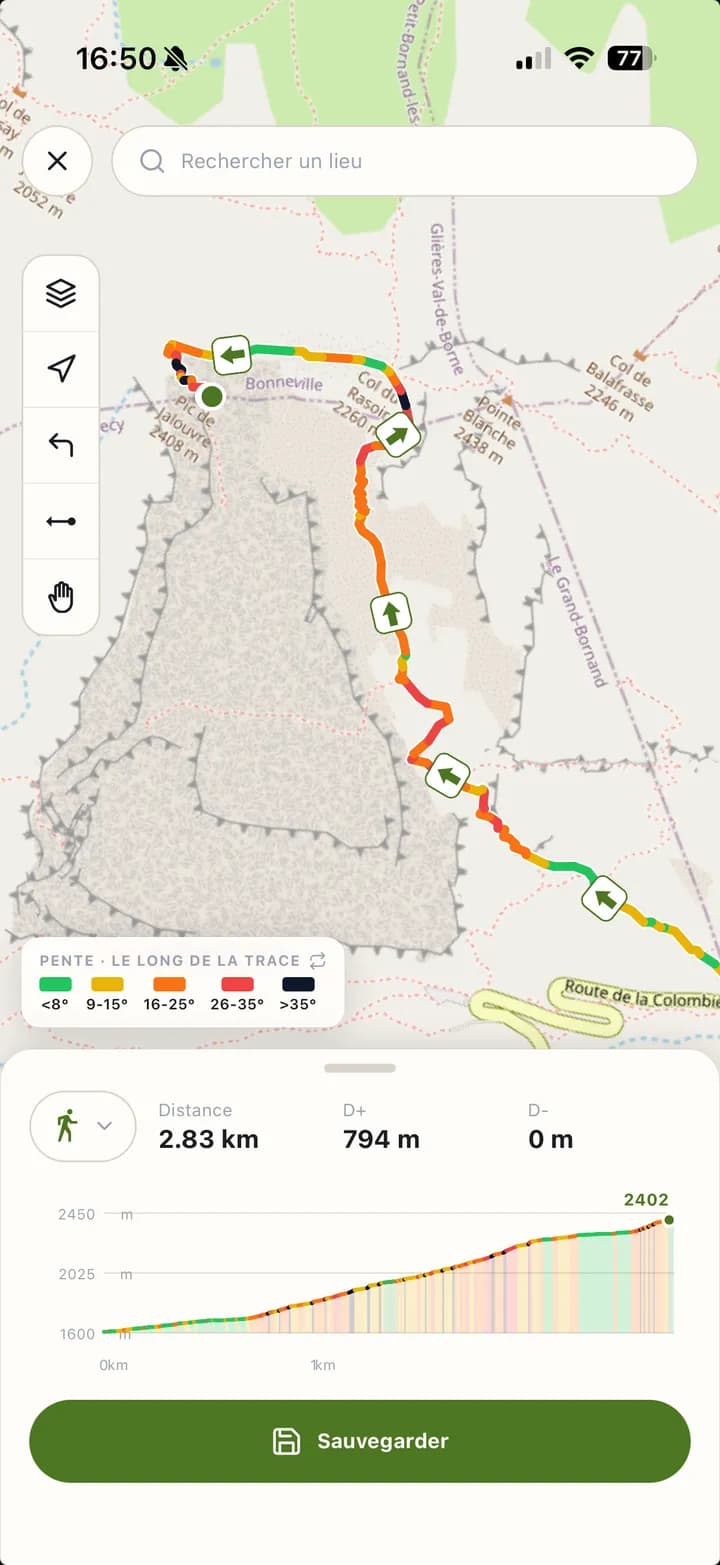
- Live distance
- Live elevation
- Live slopes
Several paths lead to the same spot? Compath shows you the alternatives: just tap the one you prefer.
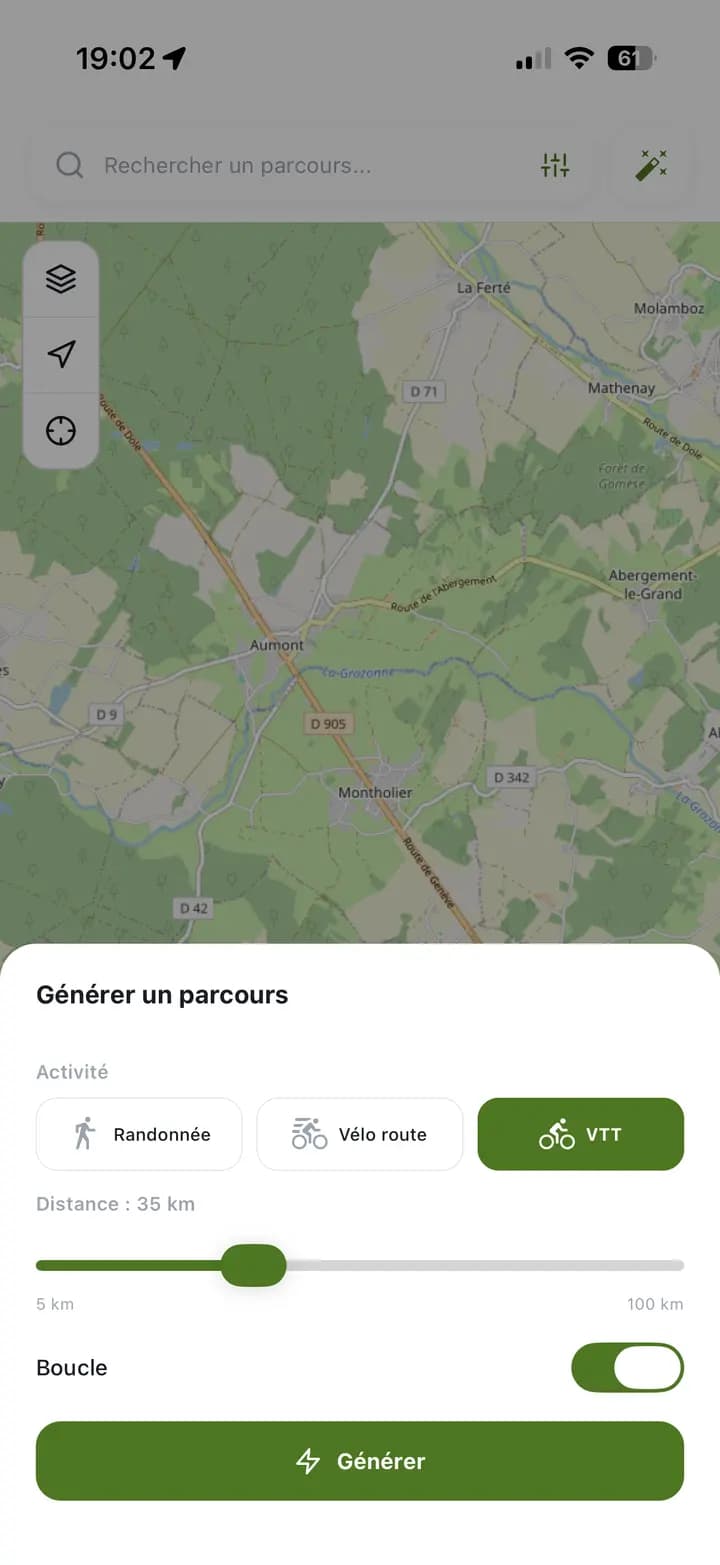
Or let Compath create it for you.
Pick the activity, the distance and whether you want to end where you started. Compath draws the route.
Hiking15 kmLoop
Already have a track? Import your GPX file.
03Prepare
A route is more than a line on a map.
Before you leave, Compath lets you analyse your route and understand the conditions waiting for you on the ground.
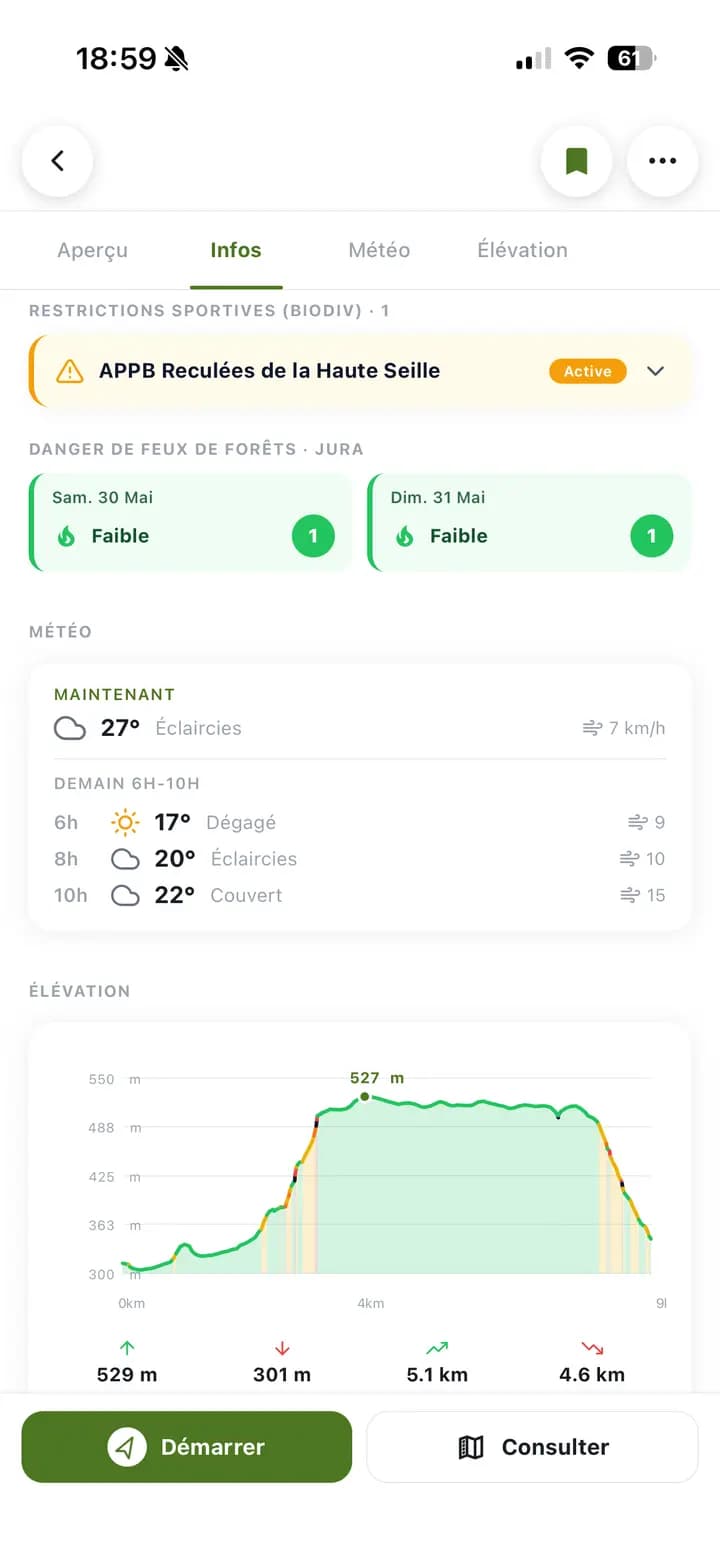
Conditions
Terrain
Safety
Mountain
Map layers
One tap shows what matters in your area, on top of the basemap of your choice.
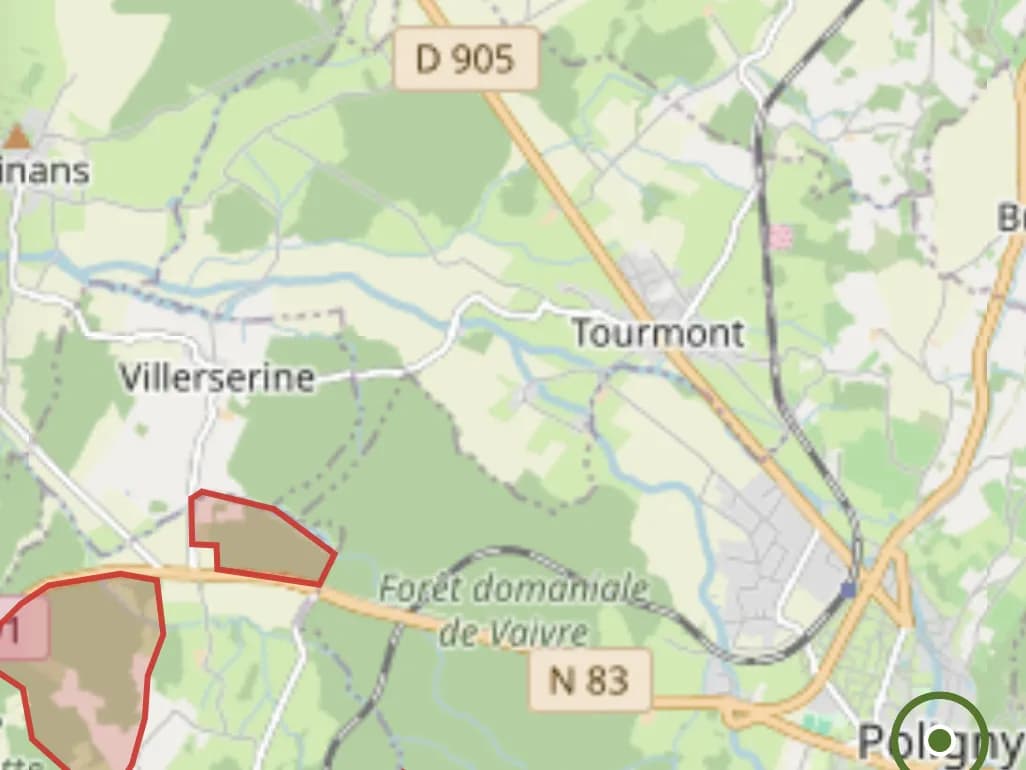
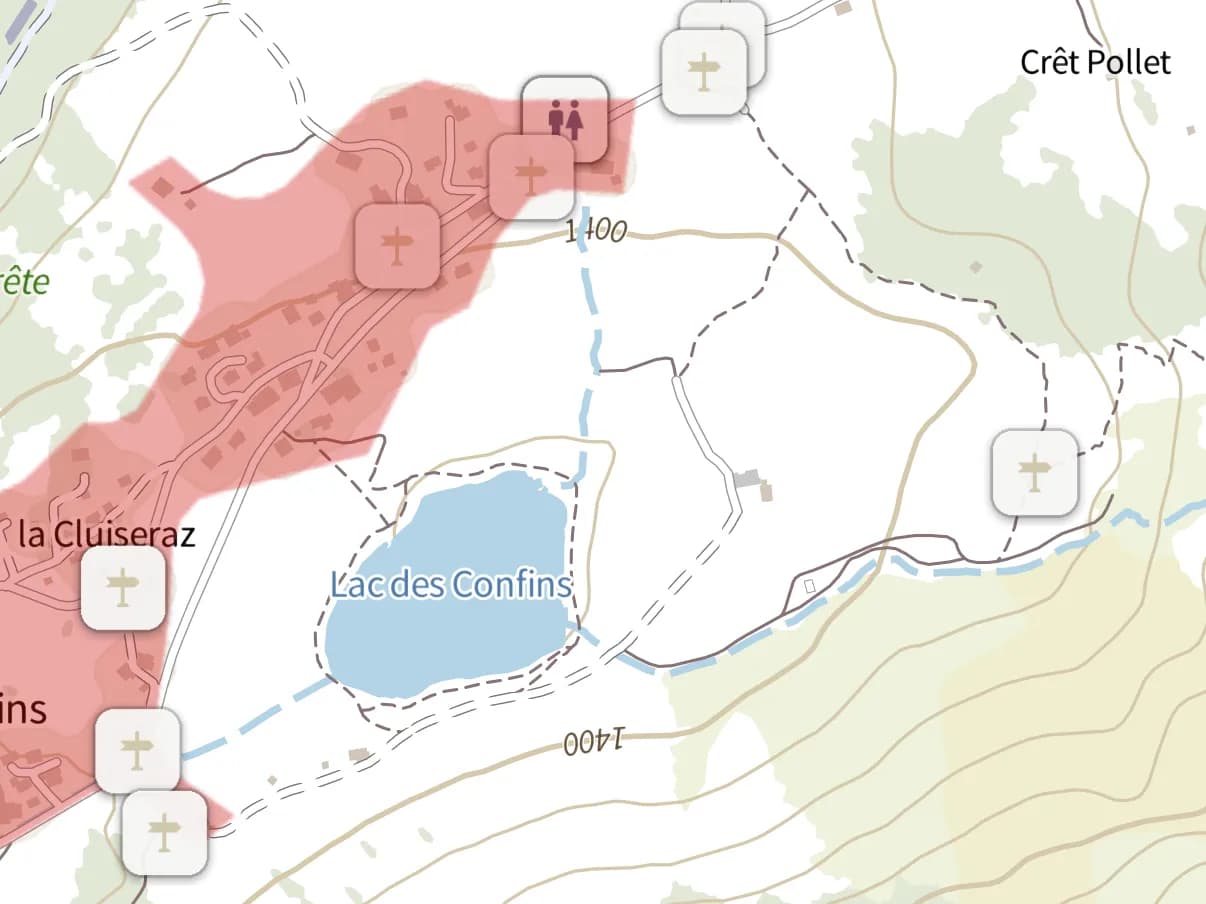
Hunting areas
Today's drives and the areas where hunting is possible, day by day.
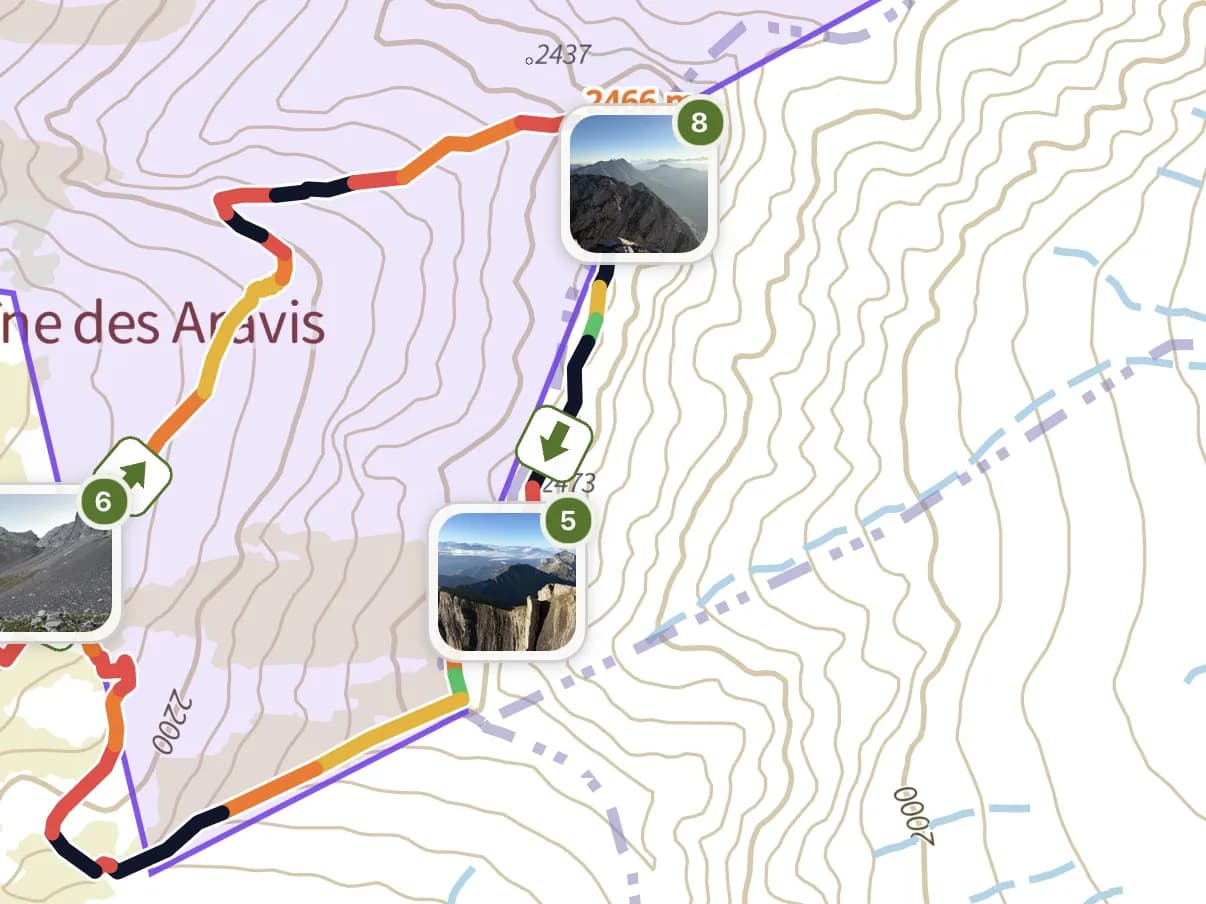
Livestock guardian dogs
Pastoral areas guarded by guardian dogs, worth knowing before you meet a flock.
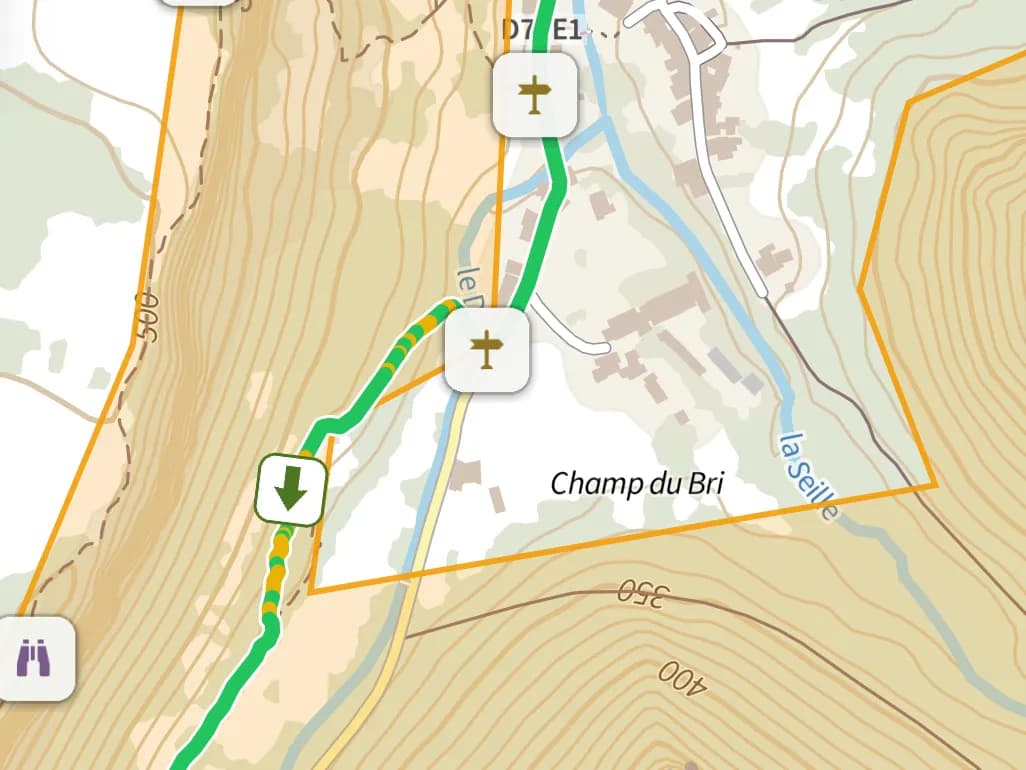
Biodiv'Sports restrictions
Areas where wildlife needs quiet, with the periods and activities concerned.
Drone zones
Flight restrictions for your drone, right on the map.
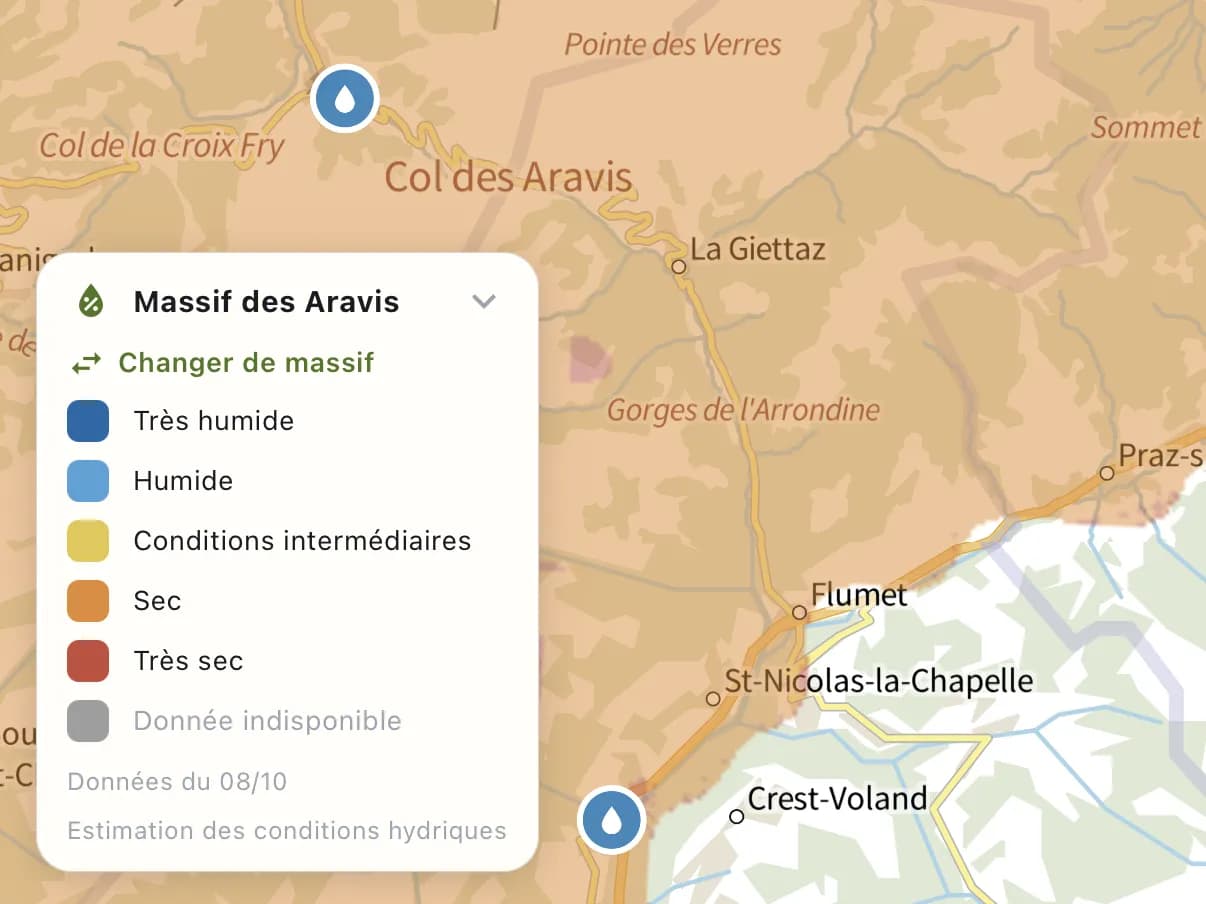
Soil moisture
Dry or waterlogged ground, massif by massif.
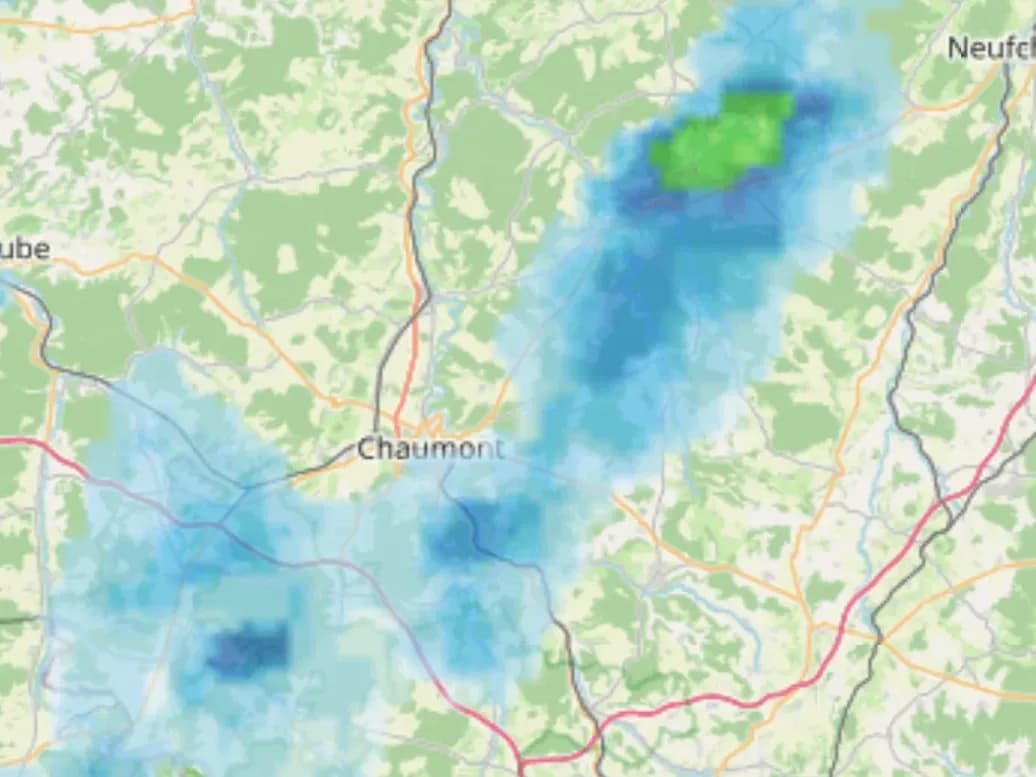
Rain radar
The animated radar to see rain coming over the next hours.
Some features are part of the Pro subscription, which you take out in the app.See pricing
04Mountain
Slopes and avalanches, at a glance.
In winter the question is not only where to go, but where not to. Compath puts avalanche information right on the map.
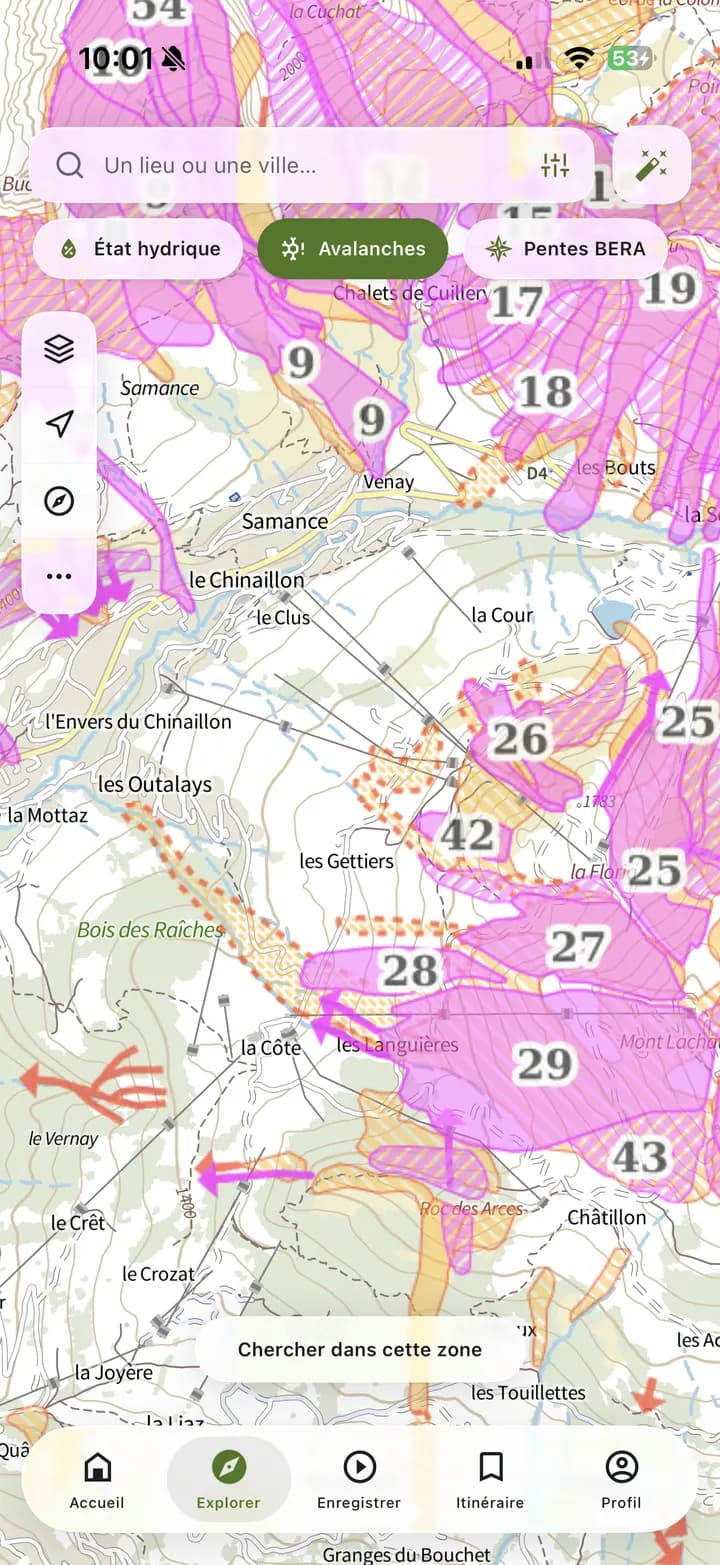
See where avalanches have already run.
Turn on the Avalanches filter: the footprints of recorded avalanches appear on top of the basemap of your choice, OpenStreetMap, IGN or satellite.
This is an inventory of past avalanches, not a hazard map: always check the avalanche bulletin before you go.
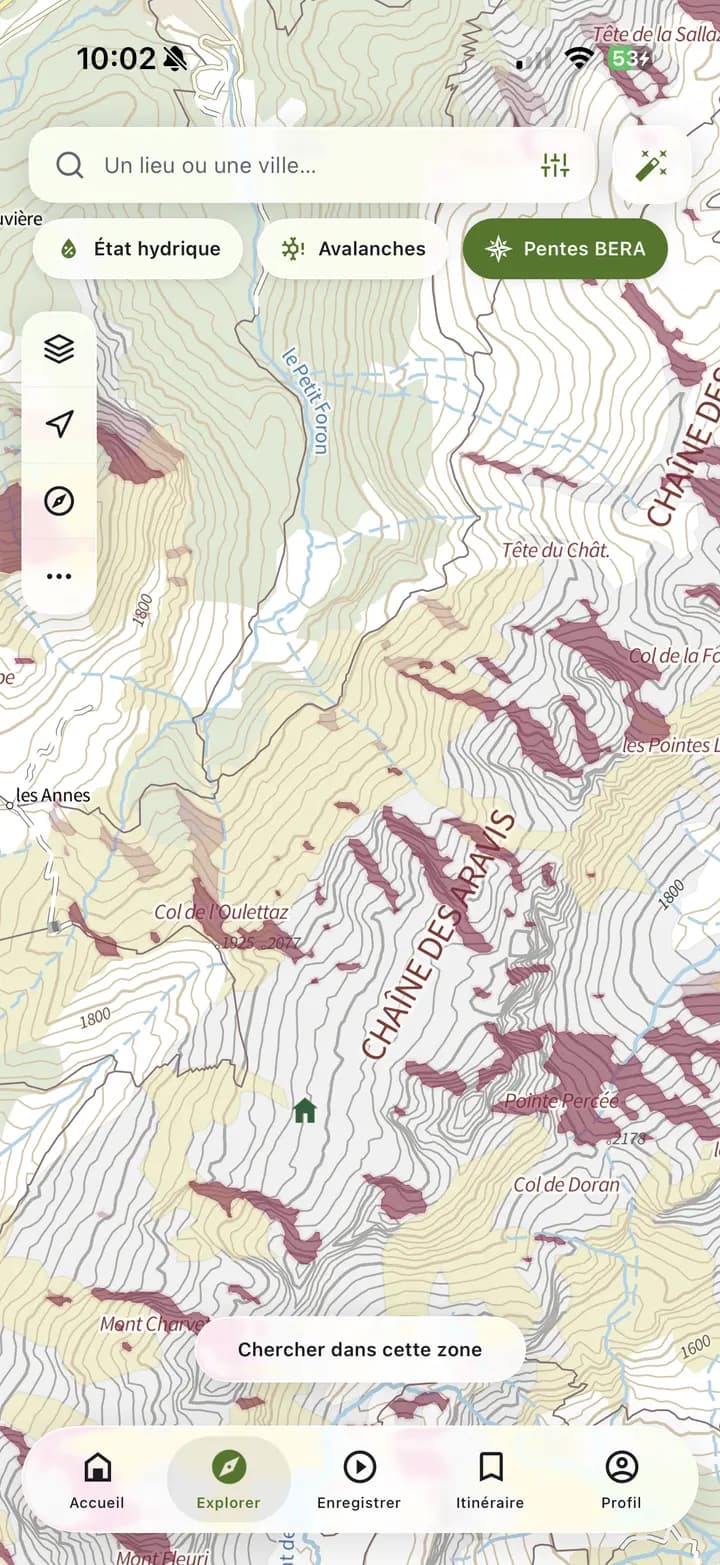
Understand which slopes the avalanche risk applies to.
Compath combines slope angle, aspect, altitude and the risk level of the avalanche bulletin (BERA) to colour the slopes concerned right on the map.
- Slopes of 30° and more
- Aspect
- Altitude
- Bulletin risk
The slopes targeted by today's bulletin
Across every French massif covered by the BERA.
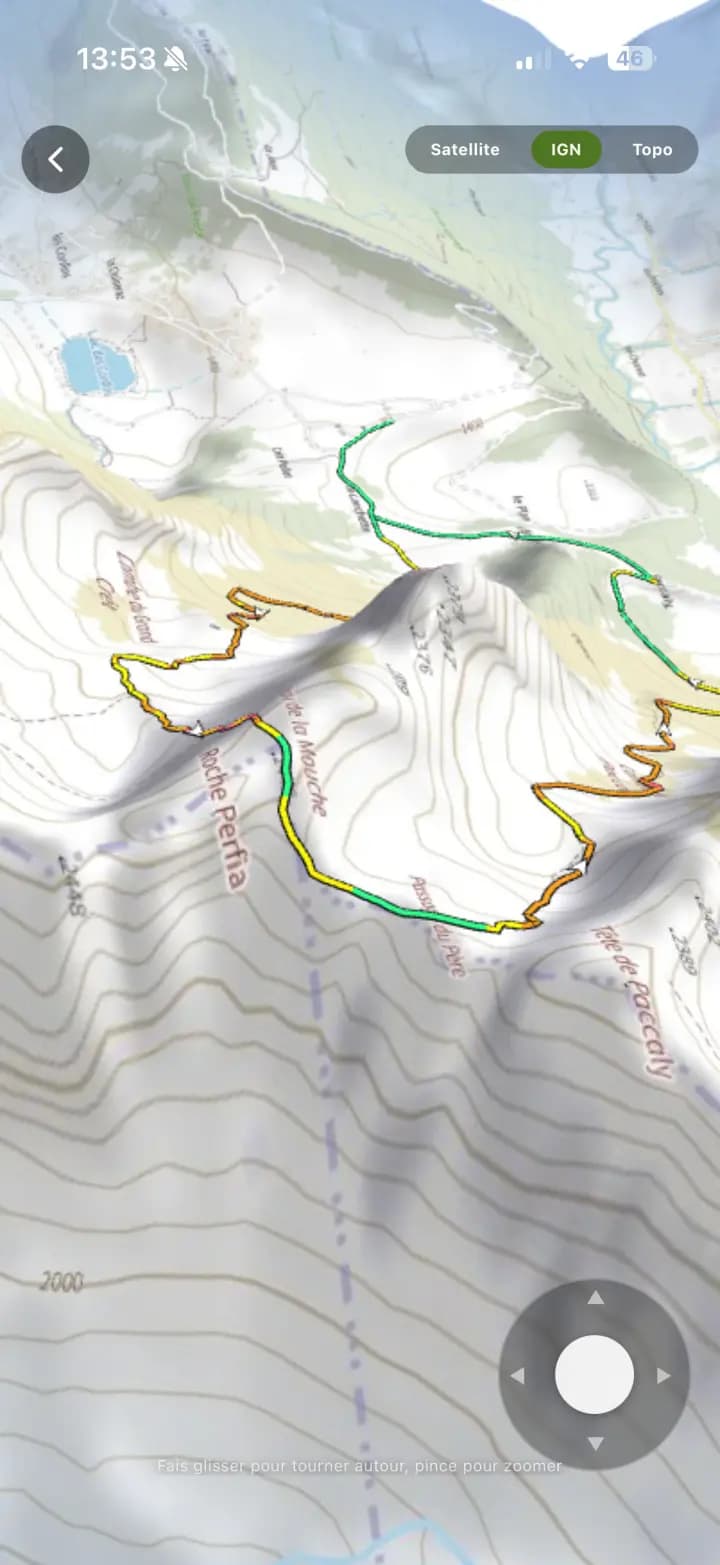
See the terrain before you get there.
The 3D view lays your track on the real relief. Spin around it, spot the steep sections, then take the flyover with you as a video to share.
05Plan
Pick the right time to go.
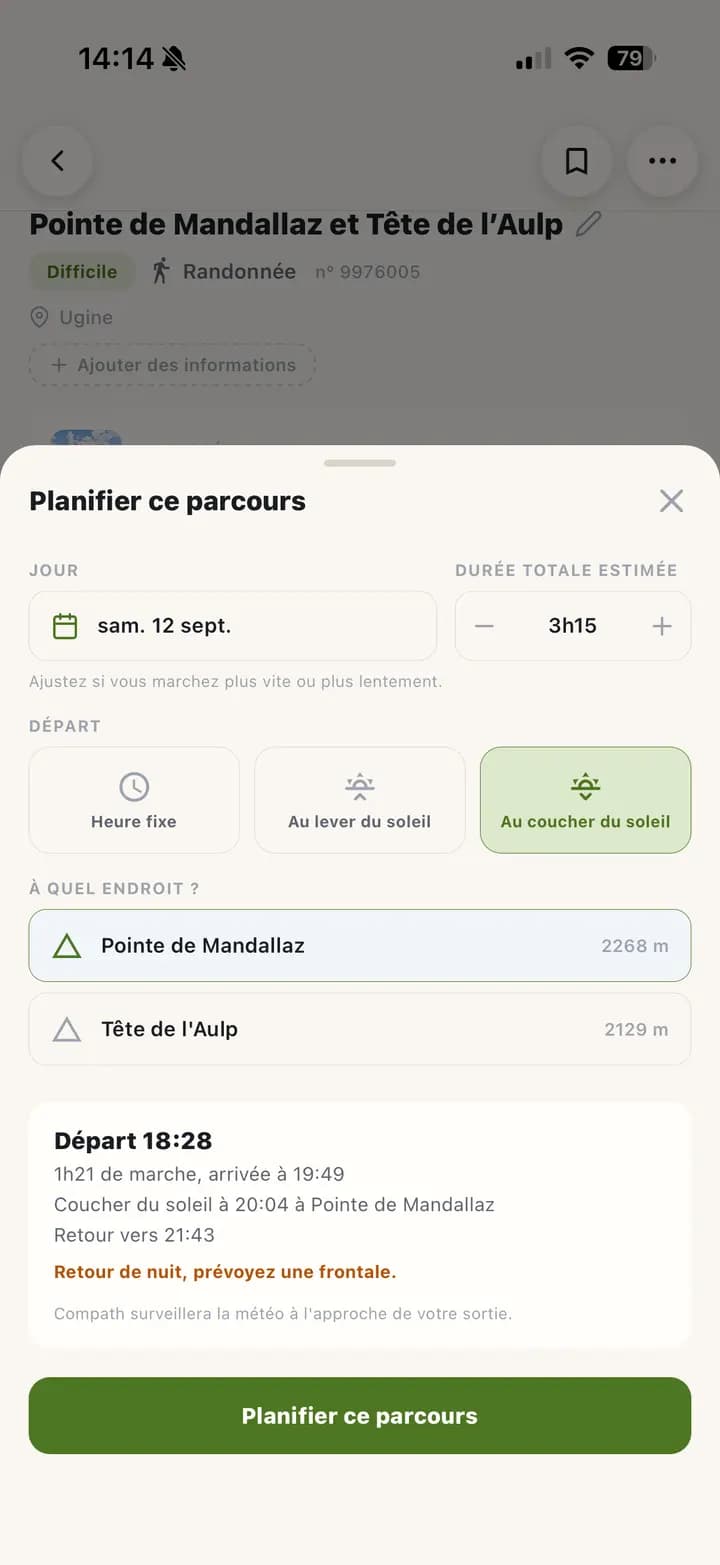
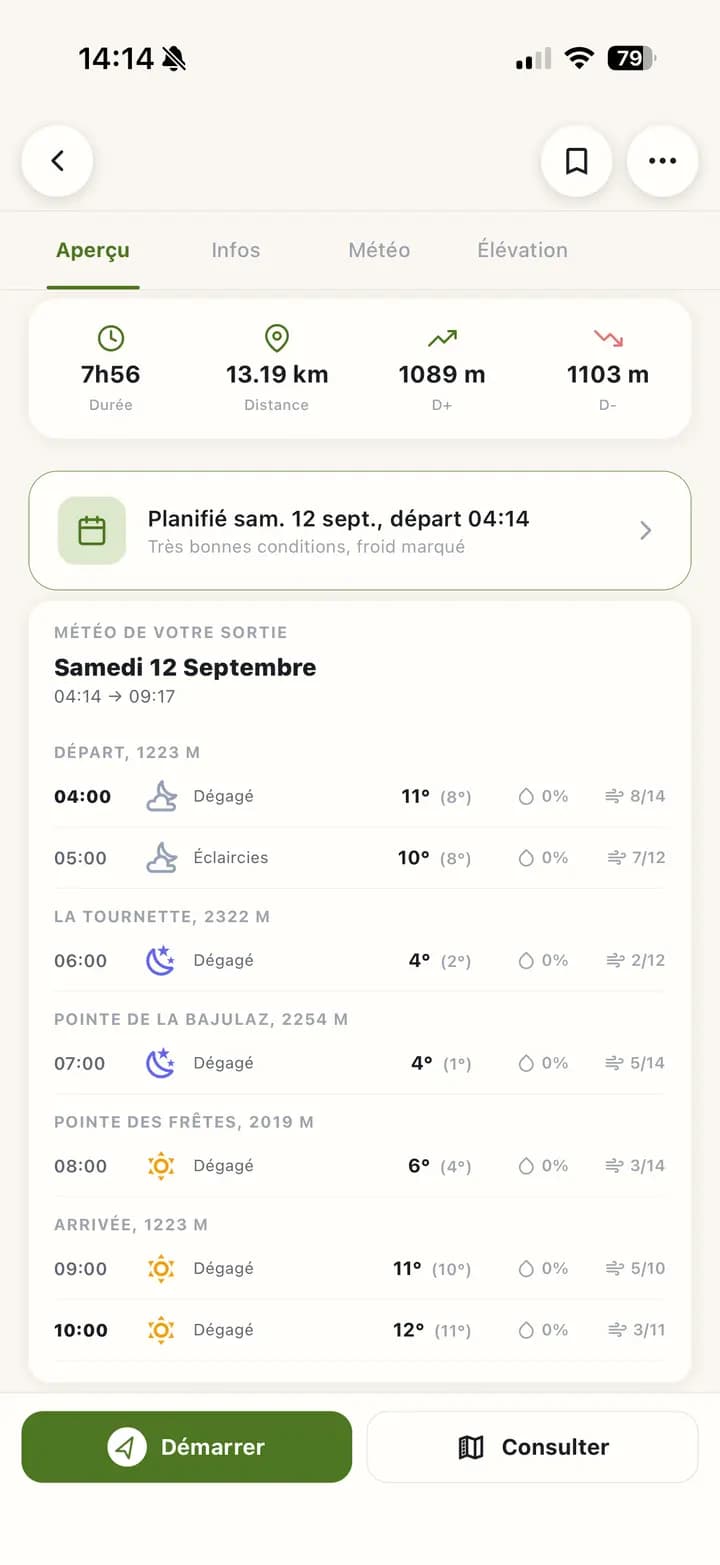
Give your trip a date and a start time, or a start at sunrise or sunset. Compath shows the weather hour by hour, at the spot where you will be at each moment.
- 1
I plan my trip
A date, a start time, and Compath works out when you'll be back.
- 2
Compath watches the conditions
Weather, avalanche bulletin, wildfire risk, access bans and hunting areas on the day. More and more often as the start approaches, and every hour on the day itself.
- 3
Conditions change
Thunderstorm, rain, wind, cold, avalanche risk 4: Compath compares with the previous forecast.
- 4
I get a notification
Only when something changes, never at night, and no more than three messages a day.
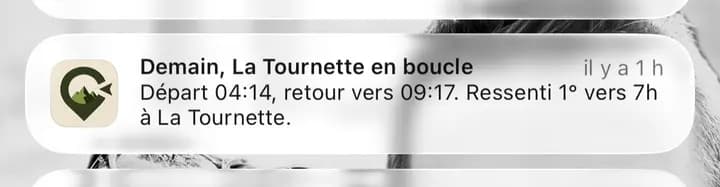
Conditions changing? Compath lets you know.
06Offline
Get your trip ready before you leave.
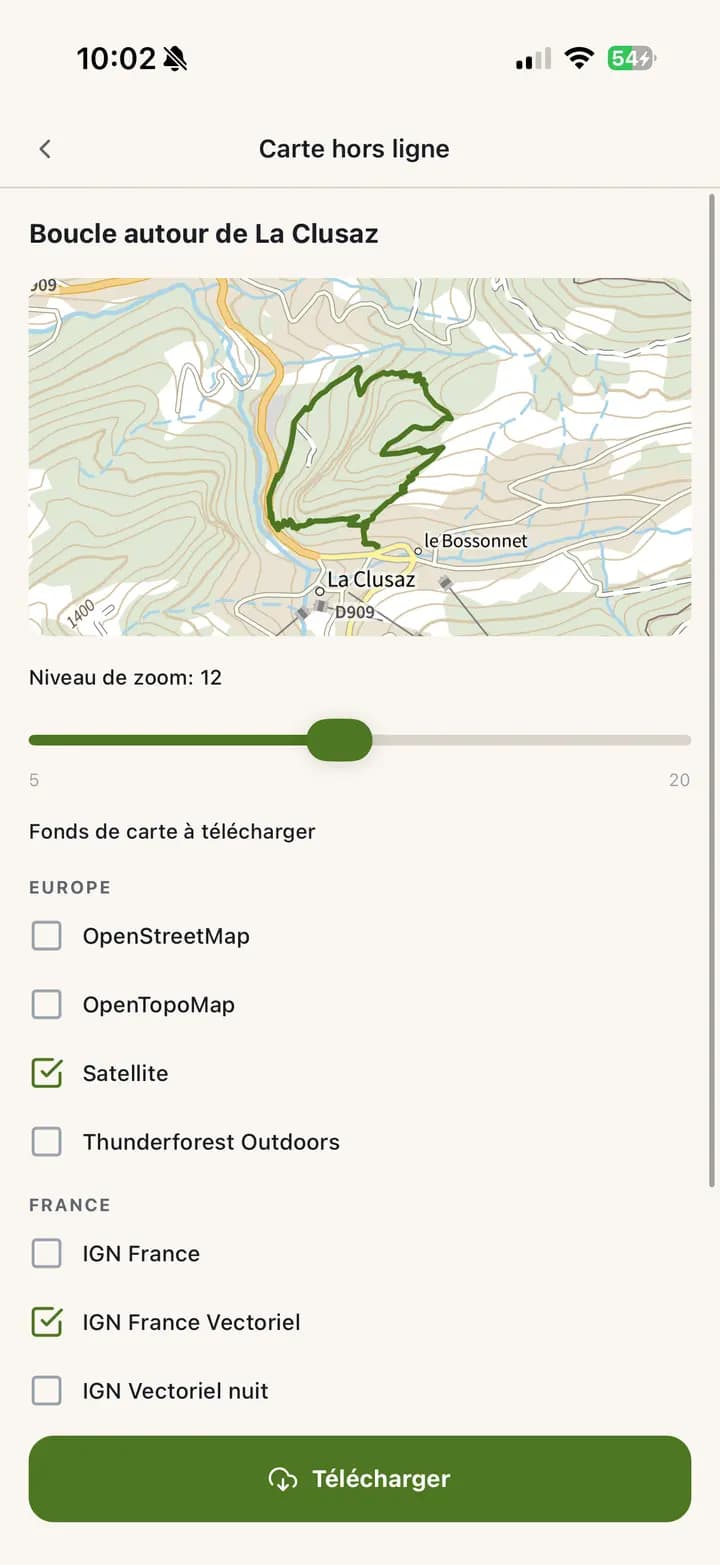
Download everything you need before you go, and keep it at hand even with no signal.
- One or several basemaps
- The GPS track
- Points of interest: water points, huts, toilets…
- The terrain slope along the track
- The protected areas it crosses
- The avalanche bulletin
07Go
Out on the trail, Compath becomes your GPS.
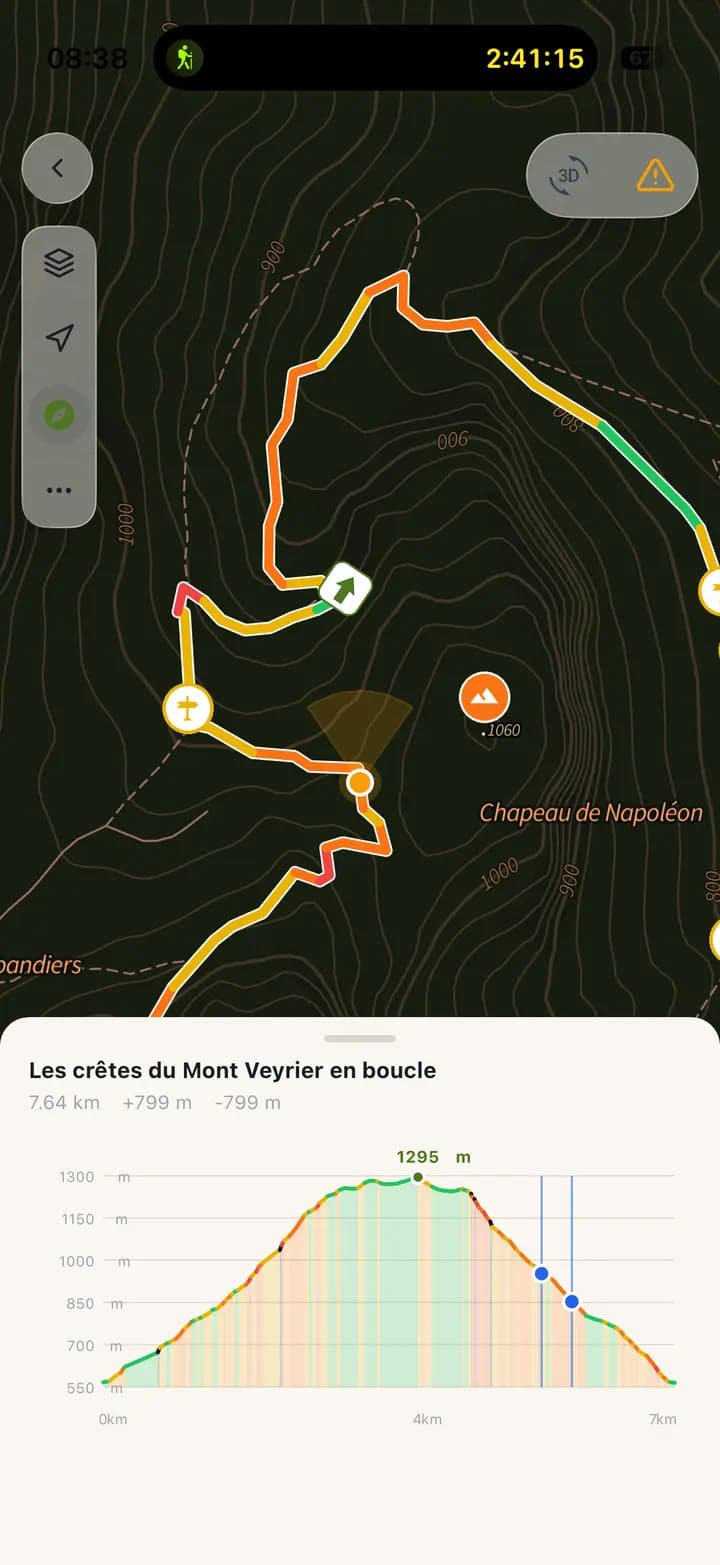
Your position on the track, the slope of every section and an elevation profile that moves with you. Even without signal, on a downloaded map.
- GPS position and compass
- Track coloured by slope
- Your position on the elevation profile
- Route distance and elevation
Designed to save your battery.
Two ways to head out, depending on what you need.
Full GPS tracking: your trip is recorded from start to finish.
Compath only takes your position while the app is open. Check the map, put the phone away: your battery is spared.
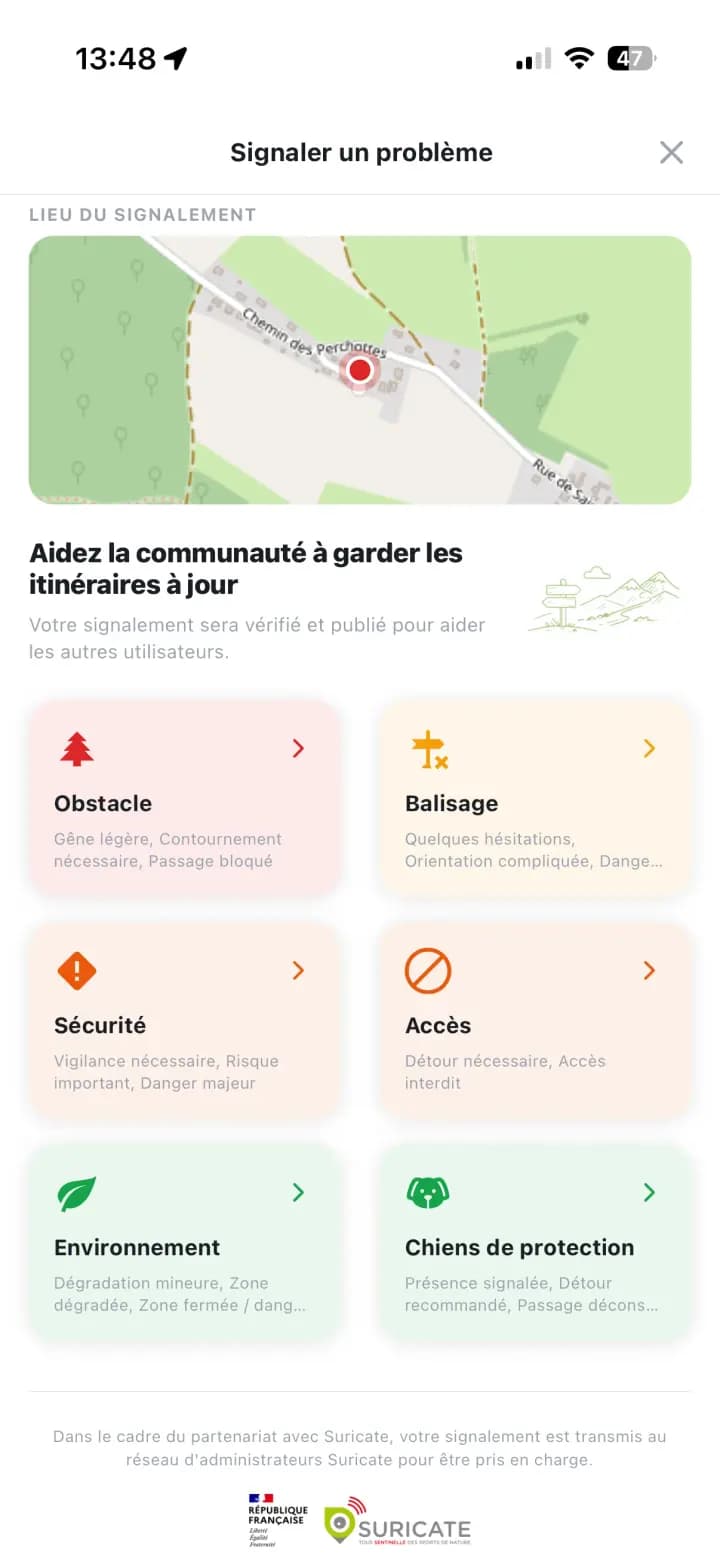
Something blocking the path?
Fallen tree, missing waymarks, dangerous section: report it from the app. Your report goes to the official Suricate network and helps those who come after you.
- Obstacle
- Waymarking
- Safety
- Access
- Environment
- Guardian dogs
08Share
Stay connected to your loved ones.
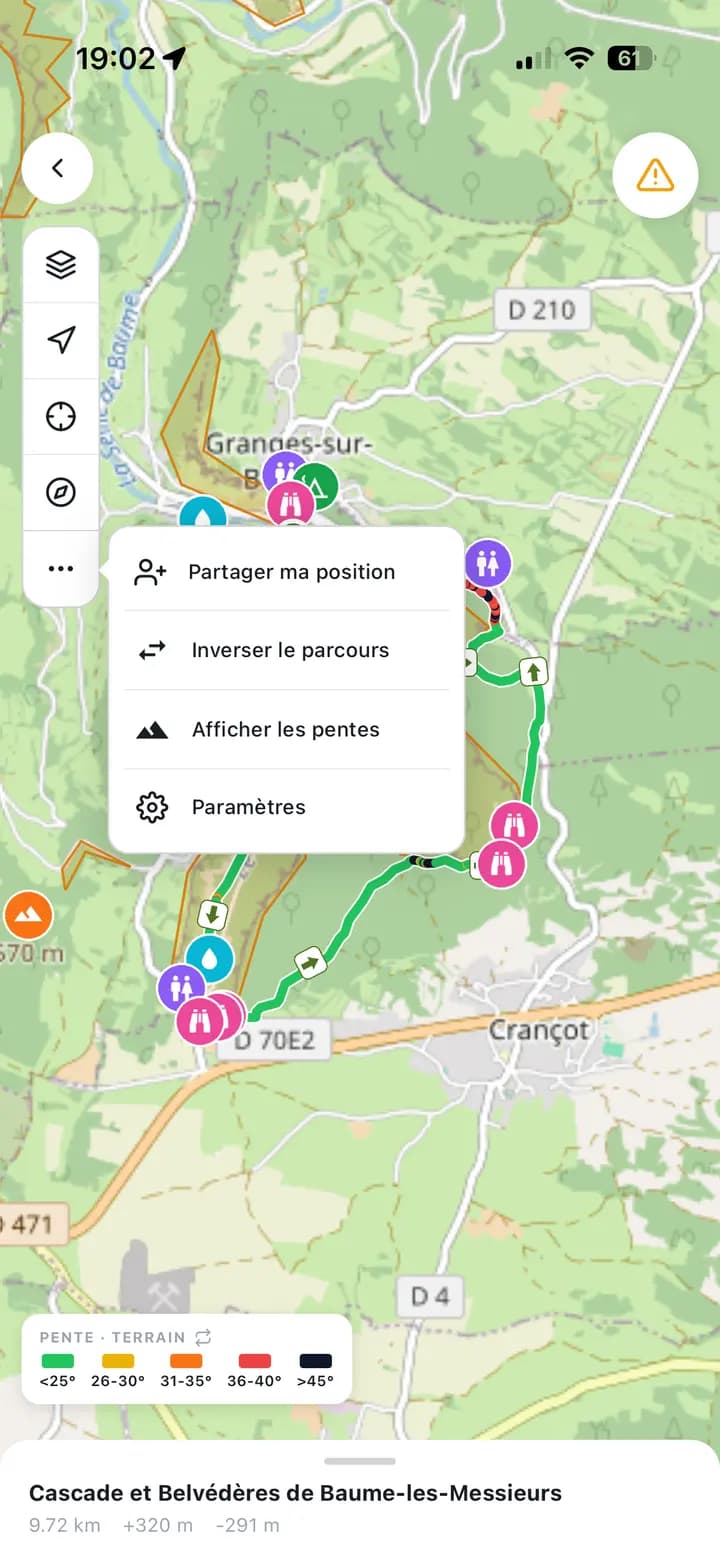
Share your live location: your loved ones get a notification and follow your track and position on the map.
- Share in one tap while following a route
- They see your track and your position
- They need to use Compath too
09After the trip
Keep a record of every adventure.
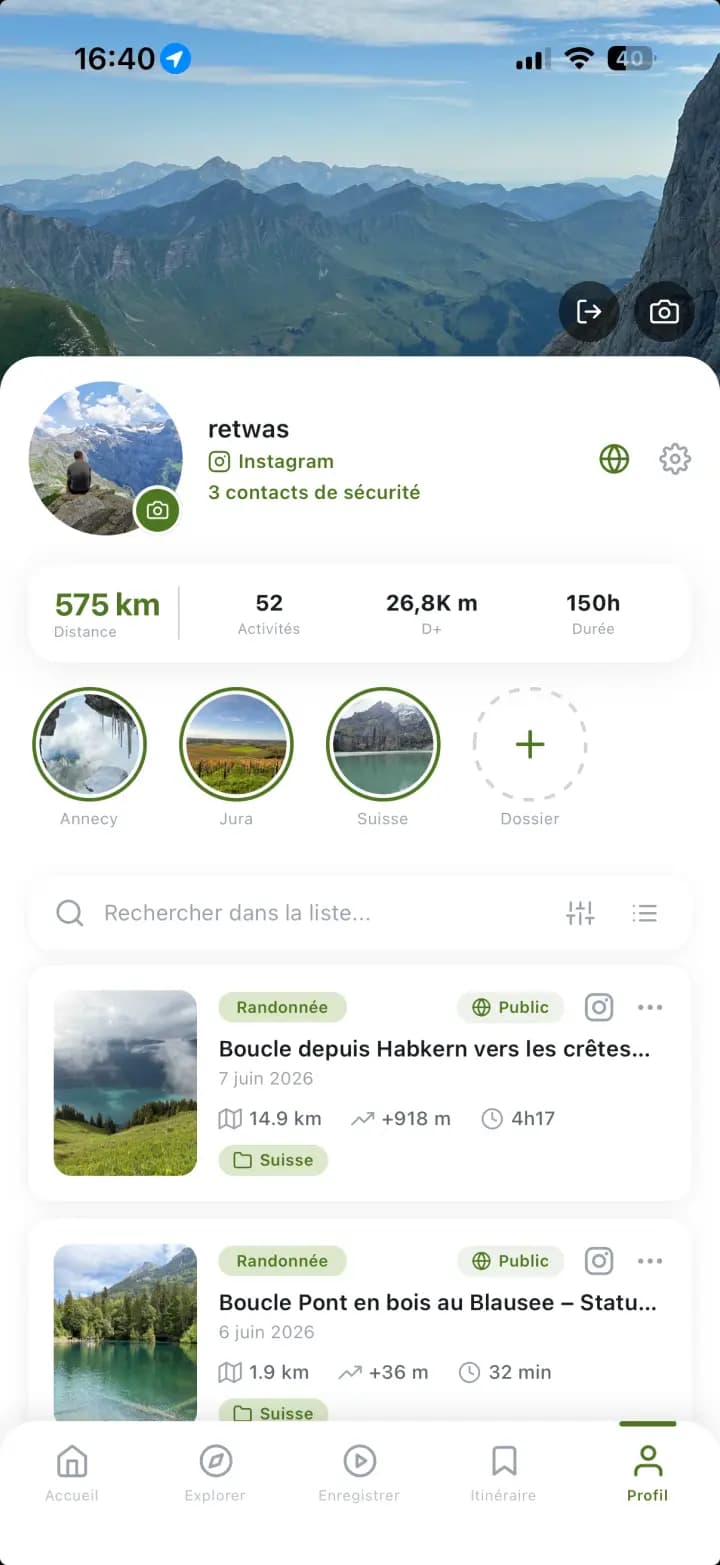
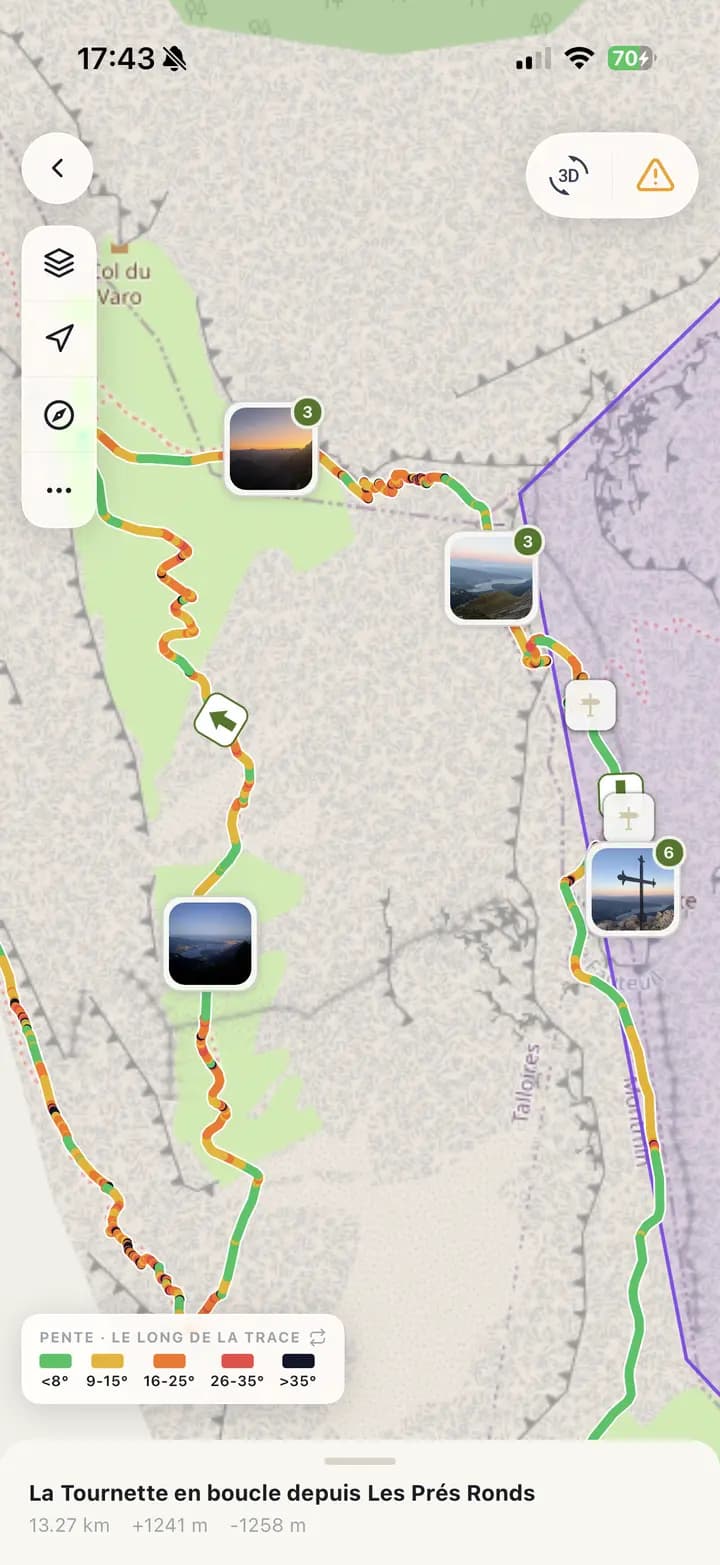
Your trips are added to your profile, with your photos placed where you took them.
- Distance, elevation and duration of each trip
- Cumulative stats on your profile
- Geotagged photos along the track
- A share card for your social networks
- A 3D flyover video of your track
In detail
All features
For those who want to know everything, here is all that Compath does.
Maps
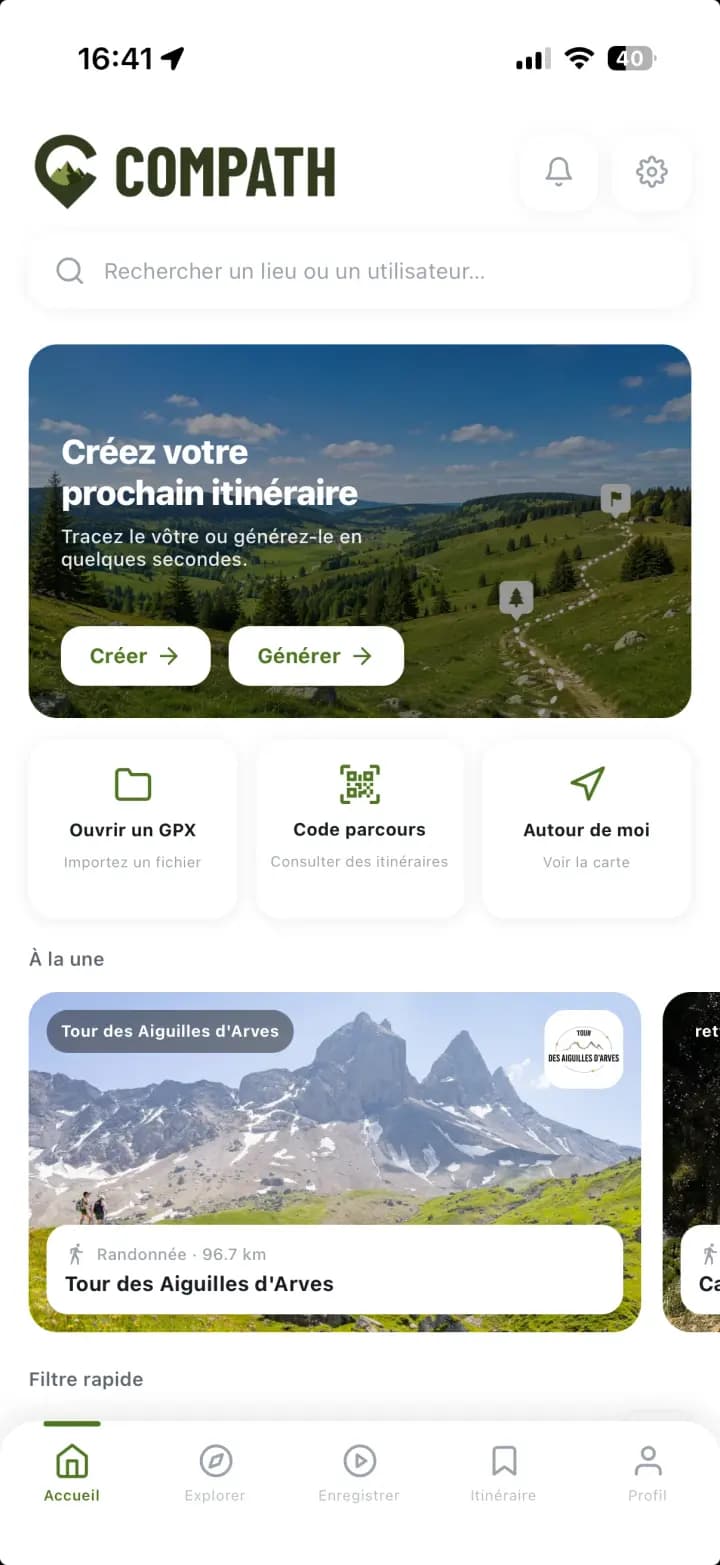
The home screen
- Unified search: a place, a route or a folder by its code, or a public member by name.
- Create or generate a route in seconds.
- Open a GPX file or enter a route code.
- Featured routes: itineraries highlighted by our partners.
- Notifications: activity invitations and safety-contact requests, with an unread counter.
- Settings: customise the app and the data shown on maps.
The Explore map
- Place search and filters: activity, difficulty, distance, elevation.
- Route traces, with coloured dots marking their starting points.
- Select a route: a summary appears; tap again to open the full page.
- Basemap, recentre on your position and auto-recentre.
- Generate a route automatically, straight from the map.
- Number of routes found and Map / List toggle.
Map layers
- Standard basemaps (OSM, IGN, topo) and premium basemaps.
- Dated satellite view: the most recent imagery available for the area.
- Animated precipitation radar, to see the rain coming.
- Slope colouring, to spot steep sections before you get there.
- Recorded avalanches and the slopes targeted by the avalanche bulletin.
- Drone restriction zones.
- Hunting areas, declared or possible, day by day.
- Soil moisture of the massifs: dry or waterlogged ground.
Creating routes
Create on the map
- The chosen discipline adapts the routing: trails, tracks, roads…
- Tap the map: the line snaps automatically to existing paths.
- Distance and elevation update live as you draw.
- The track is coloured by slope as you go.
- When several paths lead to the same point, the alternatives appear: tap the one you prefer.
- Manual mode (hand button): straight line, off the path network.
- Save the route or keep it as a draft.
Generate automatically
- Pick an activity and the distance you want.
- Loop or one-way itinerary.
- Each try returns a different result.
- A generated route opens like any other: editable and saveable.
Open a GPX
- Preview the imported track before saving.
- Distance and elevation computed if missing from the file.
- Name, activity type and destination folder.
- Automatic duplicate detection.
- Optionally create the matching activity in your history.
Route page & terrain
The route page
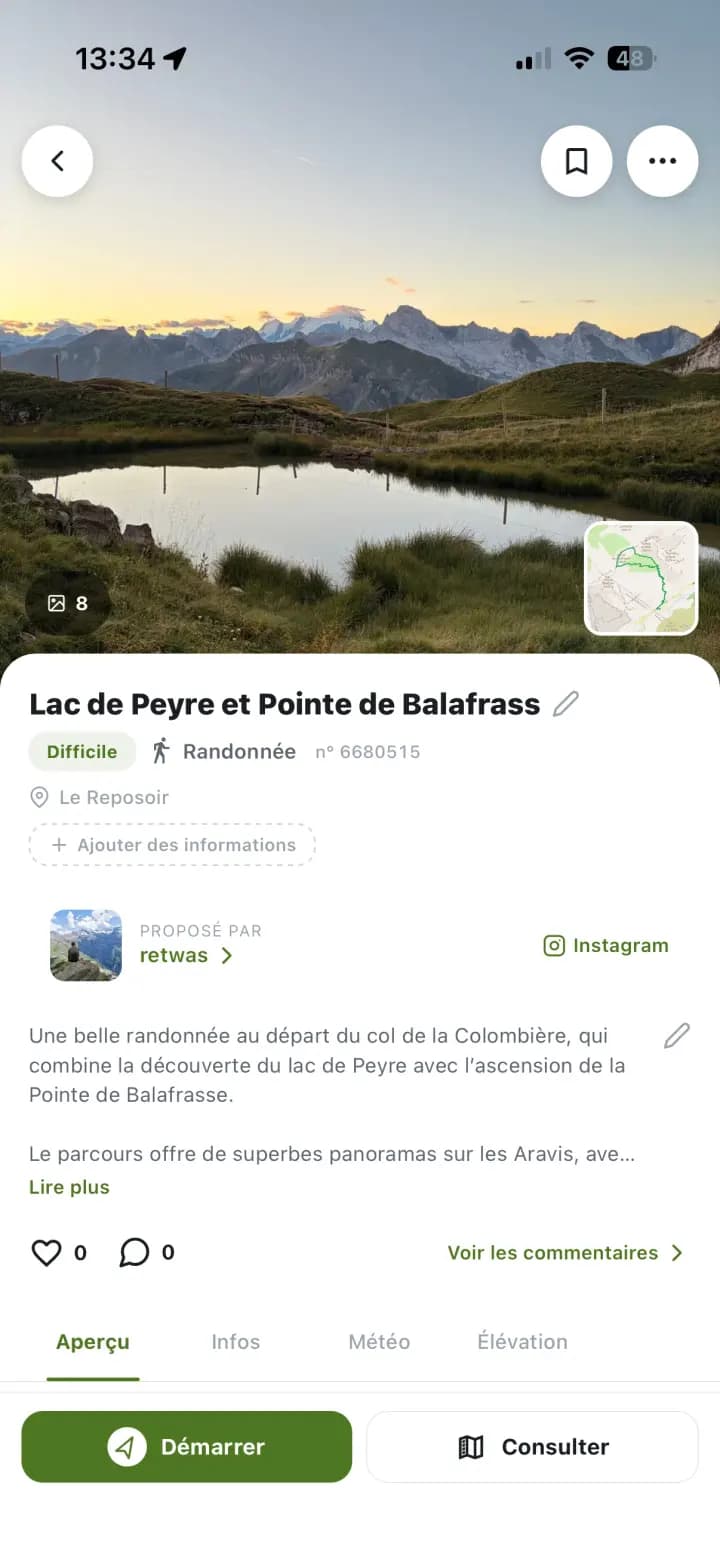
- Route photos (or its trace) and a mini-map.
- Name, difficulty and activity type.
- Duration, distance, elevation gain and loss.
- Likes and comments from other users.
- Overview, Info, Weather and Elevation tabs.
- Options menu: share, export GPX, navigate, mark as done.
- Path type and surface: how much is trail, track and tarmac.
Slopes to the degree
- Elevation profile, climbs and lengths of ascent / descent.
- Slope colouring from IGN's RGE ALTI® 5 m digital terrain model (1 m in some areas).
- Sections steeper than 30° stand out immediately.
- Data from LiDAR acquisitions carried out across France since 2010.
The 3D view
- Your track laid on the real relief: orbit, zoom and follow it from any angle.
- Pick the basemap (satellite, IGN or topo) without leaving the 3D view.
- Slope colouring is shown right on the relief: steep sections stand out at a glance.
- Distance, elevation, estimated time and difficulty stay on screen during the flyover.
Weather
Route weather
- Current weather and next-morning forecast.
- Animated precipitation radar on the map.
- Live wildfire risk forecast, linked to each route.
- Spot sensitive areas and periods before you set off.
- Useful right up to exposed forest zones, where access may be closed.
- Estimated snow cover along the route.
Mountain & avalanches
Avalanche bulletin (BERA)
- Météo-France avalanche risk bulletins, linked to each route by massif.
- Official snowpack conditions and risk level for the area concerned.
- Updated daily and available offline, so you can read them in the mountains without a signal.
Recorded avalanches
- Avalanches filter: the footprints of avalanches recorded by the CLPA (INRAE), across the Alps and Pyrenees.
- Shown on top of the chosen basemap, visible from a close zoom.
- An inventory of past avalanches, not a hazard map.
Slopes targeted by the bulletin
- Slopes of 30° and more, at the aspects and altitudes the day's bulletin flags as the most dangerous.
- Across every French massif covered by the BERA.
- The layer follows the day's bulletin.
Planning & watch
Plan a trip
- Give a route a date: Compath turns it into a trip it keeps an eye on.
- Start at a set time, or at sunrise or sunset on the summit of your choice.
- Adjustable estimated duration, computed return time, and a warning when it falls after dark.
- Hour-by-hour weather across the hours of the trip, from start to finish.
- Each hour gives the conditions where you'll be at that moment, with its altitude: start, summits, huts, finish.
- A verdict for the trip and its main reason: rain, wind, visibility, thunderstorm, cold.
Conditions watch
- Compath tracks the conditions until you leave and only writes when something changes.
- Checks become more frequent as the start approaches, every hour on the day itself.
- A briefing the evening before for a morning start, the same morning otherwise.
- An alert when conditions worsen, and when they recover.
- Thunderstorms, avalanche risk 4 and access bans take priority over everything else.
- An alert if your route crosses a hunting area on the planned day.
- If a nearby day looks clearly better, Compath offers to move the trip in one tap.
- Nothing between 9pm and 7am, and never more than three messages a day: a watch that wakes you up for nothing is no watch at all.
- Notifications on your phone and your watch.
Safety & environment
Hunting areas
- On the map, in solid red: hunts declared by partner hunting associations, and the day's drives in Isère.
- In light red with a dotted outline: areas where hunting is possible that day, according to the federations' calendar (Haute-Savoie, Côte-d'Or, Haute-Marne).
- Pick the day shown: today, tomorrow or the coming weekends.
- Tap an area: the time slot (all day, morning or afternoon) and the source.
- A route page lists the hunting areas it crosses.
Regulated & sensitive areas
- National parks, Natura 2000 sites and biotope protection orders (INPN).
- Seasonal sports restrictions from Biodiv'Sports.
- Computed automatically for every route: you see where the activity is restricted or banned.
- Pastoral areas guarded by livestock guardian dogs.
Report an issue
- Issue type: fallen tree, overgrown vegetation, other.
- Optional detail, visible to other users.
- Optional photo to illustrate the problem.
- Reports are forwarded to the official Suricate network.
Offline
Get ready for offline
- Download the route and its map from the options menu.
- Pick one or several basemaps and the zoom level.
- The track, points of interest, terrain slope along the track, the areas it crosses and the avalanche bulletin are kept with the map.
- The Downloaded tab gathers everything that still works without a signal.
- Downloaded basemaps stay available during the trip.
Tracking & stats
Favourites and folders
- Favourite the routes you're interested in.
- Organise them in folders; each folder has a 6-digit code.
- Folder options: rename, private or public visibility.
- The Downloaded tab keeps your offline routes, maps included.
Your profile
- Cover photo and profile picture, editable in one tap.
- Account visibility (public / private) and personal data.
- Your stats: distance, activities, elevation, duration.
- Search and filters across your whole history.
- Three display modes: large map, compact list or photo grid.
- Your geotagged photos placed along the track.

Your next adventure starts in Compath.
Compath is free. Download the app on iOS or Android and get going.